

One of the biggest barriers beginners in AI automation face when trying to land their first client is a lack of experience. When you have no previous clients or professional experience, it can be difficult to know what to put in a portfolio—or how to convince potential clients that you can actually deliver.
But think about what a portfolio is really meant to do. Its purpose is to demonstrate your skills and show potential clients what you are capable of.
So, do you really need previous client experience to demonstrate your AI automation skills?
Not necessarily.
You can build practical AI automation projects on your own, document how they work, and use them to create a portfolio that demonstrates your capabilities—even before you land your first client.
In this guide, you’ll learn how to build an AI automation portfolio with no professional experience, what projects to include, and how to present them in a way that helps potential clients understand what you can do.
Key Takeaways
- You can build a credible portfolio around fictional business scenarios — as long as you clearly label them as demonstrations, never as real client work.
- Three projects that each show a different skill beat ten that all look the same.
- Testing matters more than polish. Document what broke, not just what worked.
- Never invent results. If you didn’t measure it, don’t claim it.
- Once your portfolio is ready, it becomes the evidence you use to land your first paying client.
What Actually Counts as an “AI Automation Portfolio”?
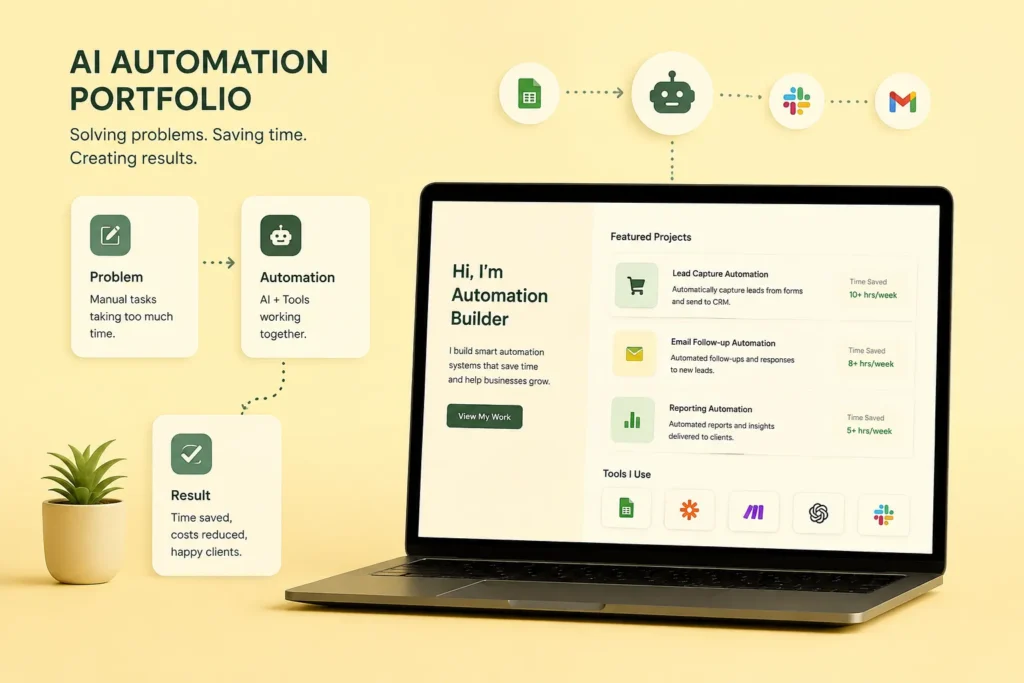
An AI automation portfolio is a small collection of working, or clearly documented, demonstrations that show how you connect apps, data, and AI to solve a real business problem. It’s proof that you can carry a problem from input to finished output — not just a list of tools you’ve watched tutorials about.
I’m using “AI automation” specifically for workflows where AI does something useful in the middle of the process — classifying a lead, summarizing a report, drafting a reply. That’s different from saying every project needs a fully autonomous AI agent. Most beginner projects don’t.
A good portfolio project lets a total stranger follow the whole chain:
- Something happens — a form is submitted, an email arrives
- The workflow receives and organizes the incoming data
- AI classifies, extracts, or generates something useful
- Rules decide what happens next
- The result gets stored or sent somewhere
- A person reviews it, whenever the workflow shouldn’t act entirely on its own
Why Build the Proof Before You Have a Client?
Because waiting for your first client to hand you proof is backwards — nobody hands out proof-generating opportunities to people who can’t yet prove anything. Building your own demonstrations first is how you break that loop, and it works whether you’re targeting clients down the street or clients on the other side of the world.
I’ve run into this exact catch-22 before, in a completely different skill, and the fix was always the same: build the evidence yourself, on your own time, with realistic sample data. Nobody has to say yes first.
Your location doesn’t limit what you can demonstrate, either. A workflow built around a fictional Kigali cleaning business adapts just as easily to a fictional business in Toronto. What matters is whether the reader understands the process you automated — not where you were sitting when you built it.
Where Do You Find Portfolio Ideas With No Client History?
Look at problems you can actually observe — not tutorials you can copy. This is where your portfolio starts to look different from everyone else’s.
- A local service business manually copying WhatsApp inquiries into a spreadsheet
- A small consultancy collecting leads through a form and following up by hand
- A freelancer spending hours every Friday turning research notes into a report
- An online seller manually tracking orders and customer details
You don’t need access to anyone’s real systems to build around these. Use fictional or synthetic data, and say so clearly. The goal is proving you understand the process — not pretending you’ve already worked for a company you haven’t.
The Three Projects I’d Build First
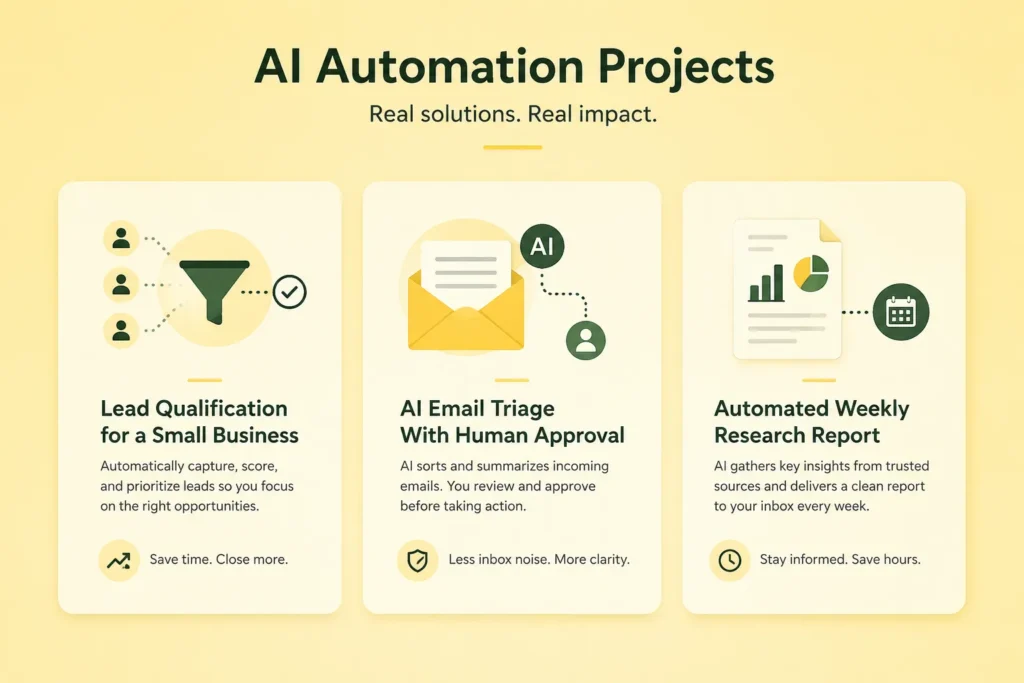
I’d start with three, not ten. Three is a practical starting point, not a rule carved in stone — add a fourth project only when it demonstrates a capability your first three don’t already show.
Project 1: Lead Qualification for a Small Business
Scenario: A training company, cleaning service, real-estate business, or consultancy receiving inquiries through a form.
What to build: A workflow that captures the inquiry, extracts key information, classifies the lead, assigns a priority, stores the record, and sends a notification when appropriate.
Workflow: Form → data mapping → AI classification → priority/routing → spreadsheet or CRM → notification.
Skills it demonstrates: Triggers, data mapping, structured AI output, conditional logic, and business-system integration.
Portfolio evidence: Use fictional inquiries like “I need a quotation for 20 staff” or “I want a consultation next week.” Show the input, the extracted fields, the classification, the routing decision, and the final record — including one incomplete or ambiguous inquiry.
Project 2: AI Email Triage With Human Approval
Scenario: A small business receiving customer questions, sales inquiries, complaints, and irrelevant messages, all mixed together in one inbox.
What to build: A workflow that identifies the message type, extracts the important details, drafts a response, and sends that draft to a person for approval before anything goes out.
Workflow: Email → classification → extraction → draft → human approval.
Skills it demonstrates: AI text processing, structured outputs, conditional logic, and human-in-the-loop design.
Portfolio evidence: Run several different message types through it and explain why each one is routed differently — and exactly where a person takes over.
Project 3: Automated Weekly Research Report
Scenario: A freelancer or small team that needs a recurring report built from defined sources or a prepared dataset.
What to build: Collect the input, normalize it, use AI to summarize or categorize it, store the structured information, and generate a weekly report automatically.
Workflow: Source/data → collection → transformation → AI analysis → structured storage → report.
Skills it demonstrates: Scheduling, data processing, AI summarization, structured outputs, and reporting.
Portfolio evidence: Show the source data, the transformation steps, a sample output, and the limitations. State exactly what information you actually tested.
Why These Three Projects, Specifically?
I chose these because each one forces you to demonstrate a different part of automation, instead of rebuilding the same workflow three times with different apps.
| Project | Main automation skill | AI skill |
| Lead qualification | Routing and data mapping | Classification / extraction |
| Email triage | Human approval and conditional paths | Classification / drafting |
| Research report | Scheduling and data processing | Summarization / analysis |
What Makes a Project “Portfolio-Ready”?
Instead of calling a project “strong” or “professional,” I use a simpler test. I’d consider a beginner project ready to publish once I can answer every one of these:
- What real-world process does it improve?
- What triggers the workflow?
- What data enters the workflow?
- Where does AI make a decision or transform information?
- What rules control what happens next?
- Where is the result stored or delivered?
- What happens when required information is missing?
- What happens when the AI output is wrong or malformed?
- Which steps require human approval?
- What did I actually test?
- What can I demonstrate without exaggerating the results?
How Do You Turn a Project Into a Case Study People Will Actually Read?
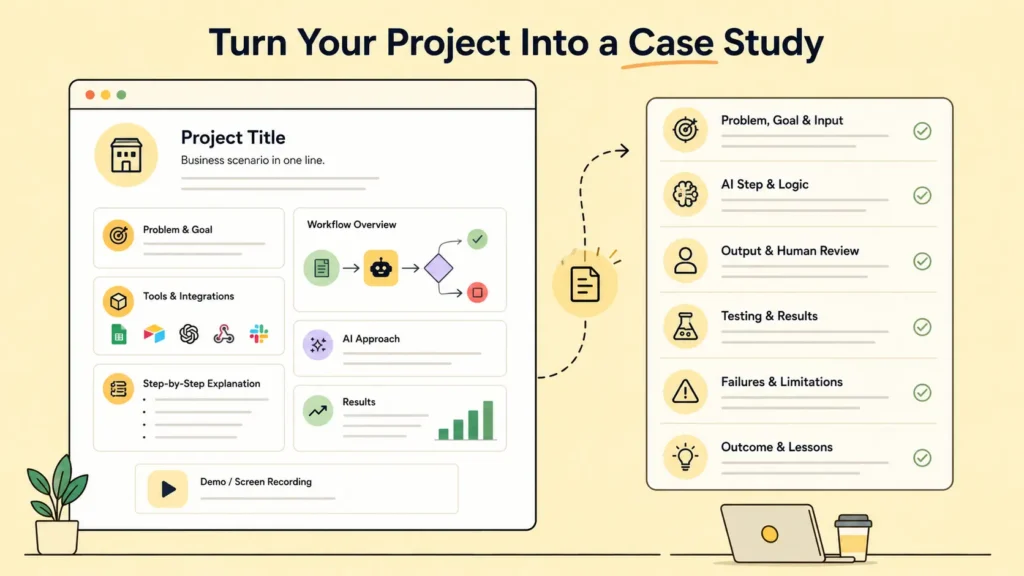
Give every project its own page. It doesn’t need to be long — it needs to make the work easy to inspect at a glance.
- Project title and business scenario
- Problem and goal
- Workflow diagram or screenshot
- Tools and integrations used
- Step-by-step workflow explanation
- AI task and output approach
- Testing you actually ran
- Failure cases and limitations
- Result or test outcome
- Demo link or a short screen recording
- What you learned
A Case-Study Template You Can Reuse
Problem: What process are you trying to improve?
Goal: What should happen once the automation works?
Input: What starts the workflow, and what information enters it?
AI step: What does AI classify, extract, summarize, generate, or analyze?
Logic: What conditions determine what happens next?
Output: Where does the result go?
Human review: Which decisions should a person approve?
Testing: What representative examples did you actually run?
Failure handling: What happens when data is missing, an API fails, or the AI output is unusable?
Limitations: What can the current version not safely or reliably do?
Outcome: What did your tests actually demonstrate?
Lesson: What would you improve in version two?
Why You Should Never Invent Results
This matters most when you have no clients yet. A portfolio is far more convincing when the reader can tell exactly what’s real, what’s simulated, and what simply hasn’t been measured.
If you tested a workflow with fictional inquiries, say so. If you measured how many test cases were classified correctly, show the actual number. If you didn’t measure time saved, don’t invent a percentage to fill the gap.
Write this: “I tested the workflow against 30 representative sample inquiries and recorded the classification and routing outcomes.”
Not this: “This automation increased sales by 30%” — unless you genuinely have evidence for that specific claim.
How Do You Test an AI Automation Before You Publish It?
A workflow can technically finish running while still producing a poor result. That’s why I’d test both the mechanics of the workflow and the quality of what the AI actually outputs — they fail in different ways.
Technical failures
- API or connected service unavailable
- Required field missing
- Authentication failure
- Unexpected data format
- Workflow step returns an error
AI-quality failures
- Wrong classification
- Invented information
- Malformed output
- Inappropriate routing decision
- A plausible but factually wrong generated response
Both Make and n8n now publish their own free beginner curricula covering triggers, data mapping, and — in n8n’s case — API and webhook fundamentals, testing, and debugging. Working through one of those alongside your first project is a solid way to build the testing habit early, rather than bolting it on after something breaks in front of a client.
Make or n8n: Which Should You Show?
You don’t need every automation platform sitting in your portfolio. Pick the one you can actually explain in plain language, then add a second only when it demonstrates a genuinely different capability.
My advice for a beginner is to build your first projects in the platform you’re already learning, instead of switching tools just to make the portfolio look bigger. If you haven’t picked one yet, I use and recommend Make.com — it’s visual, forgiving for beginners, and has a genuinely useful free plan for testing exactly the kind of projects in this guide.
Not sure which platform fits your situation? I compared all three head-to-head, including pricing and learning curve, in my Zapier vs Make.com vs n8n guide.
Do You Need to Build an AI Agent for Your Portfolio?
No. I’d only add an agent to a portfolio project once the problem genuinely benefits from agentic behavior — not because it looks more impressive.
For a beginner portfolio, a predictable, rule-based workflow is usually easier to test and explain clearly, which matters more to a prospective client than complexity does. If you do build an agent later, document what decisions it’s allowed to make, what tools it can access, what boundaries you placed around it, and how you handle it when it behaves incorrectly.
Where Should You Publish the Portfolio?
Choose the platform based on the job you actually need it to do.
| Option | Best for | Trade-off |
| Personal website | Long-term career and your own brand | Setup time and usually hosting or domain costs |
| Notion | Fast case-study publishing | Less control over design and structure |
| Google Sites | A simple portfolio with little setup | Less flexibility for presentation |
| GitHub | Technical projects and configuration examples | Weak fit as the only layer for nontechnical case studies |
If you already have a personal website, I’d usually put the portfolio there. It gives you one place to publish case studies and connect them directly to your career and freelance content — including the path toward becoming an AI automation specialist.
Use Your Own Environment as a Source of Portfolio Ideas
If you’re in Rwanda, or anywhere else in East Africa, you don’t need to copy examples from Silicon Valley to make your portfolio useful.
- A Kigali service business receiving repetitive inquiries
- A local training provider collecting registrations through forms
- A small agency preparing recurring client reports
- A freelancer sorting leads or drafting routine messages
- An online seller organizing order or customer information
Build a demonstration around one of these using fictional data. Then explain how the same workflow could be adapted for a real business once requirements, privacy, access, and testing have actually been agreed.
Portfolio Mistakes I’d Avoid
- Publishing a stack of copied tutorial workflows
- Showing a complicated AI agent you can’t fully explain
- Listing tools without showing what you actually built with them
- Calling a fictional project client work
- Inventing revenue, conversion, time-saved, or accuracy numbers
- Showing only the happy path and hiding the failure cases
- Using private customer data in a public demonstration
- Writing a case study that never explains the business problem
- Making every project demonstrate the exact same skill
- Leaving broken demos or dead screenshots in the portfolio
How I’d Build the Portfolio From Zero
1. Choose one business process. Pick a problem you understand well enough to describe in plain language.
2. Build the simplest useful version. One trigger, the necessary integrations, and one clear AI task.
3. Add business logic. Introduce conditions, routing, validation, or human approval wherever the process actually needs them.
4. Test it. Use representative examples, including incomplete, ambiguous, and incorrect inputs.
5. Document the failures. Record what broke, what produced a poor result, and what you changed.
6. Publish the case study. Show the workflow, the tools, the test evidence, the limitations, and the demo.
7. Build project two. Choose a project that demonstrates a different capability than project one.
8. Build project three. Fill the biggest remaining skill gap in your first two projects.
9. Start outreach. Use the finished portfolio as evidence when approaching potential clients or applying for roles.
What Should You Do Once the Portfolio Is Ready?
The portfolio is the bridge between learning automation and actually selling the skill. Once you’ve got a few documented projects, the next question is where to find people who have the exact problems you now know how to solve.
That’s where I’d point you toward how to get your first AI automation client next — the portfolio you just built is what makes that whole process work. And if you’re weighing where to find those first prospects, my roundup of the best platforms to find AI freelance work is a good next stop.
If you’re still deciding whether automation is even the right lane for you, it’s worth reading how this fits into the bigger picture in my guide on earning money with AI as a complete beginner.
Frequently Asked Questions
Can I use a fictional business for a portfolio project?
Yes. Build around a realistic scenario using fictional or synthetic data, and label the project clearly as a demonstration rather than real client work. This keeps your portfolio honest and lets a future client trust everything else you show them.
Should I publish my actual workflow, not just screenshots?
If it’s safe to share, yes — showing the underlying structure helps people understand your thinking. Sanitize any credentials, private data, or proprietary logic first. Lightly redacted screenshots are usually enough for a case study.
What do I show if my automation has no measurable business result yet?
Show your test outcomes instead: the inputs you used, what came out, how many cases you tested, what failed, and what you’d improve next. That honesty is more convincing to a real client than a vague claim about results you can’t back up.
Do I need to learn APIs before I build a portfolio?
No. Start with the built-in integrations most automation platforms already offer. Learn APIs and webhooks later, as your projects get more advanced — they simply expand which systems you’re able to connect, not whether you can start today.
Should every portfolio project use AI?
No. Include traditional automation where it’s genuinely the better solution — not every workflow needs an AI step. The skill you’re actually demonstrating is choosing the right approach for the problem, not forcing AI in where it doesn’t belong.
Final Checklist Before You Publish
- The project solves a specific business process
- I can explain every important workflow step
- The AI task has a clear purpose
- I tested normal and edge-case inputs
- I documented both technical and AI-quality failures
- I have not invented client work or business results
- Screenshots or demos still work
- The case study explains its limitations
- The project demonstrates a skill not already covered elsewhere in the portfolio
- The portfolio provides an obvious way to contact me
You Don’t Need Permission to Start
Let’s be honest: the hardest part of this isn’t the automation logic. It’s giving yourself permission to publish something before anyone’s asked you to. But that’s exactly the move that gets you unstuck — three honestly-tested projects will do more for your credibility than months of watching tutorials ever will.
Pick one problem you understand. Build the simplest useful version. Test it properly, and be honest about what you find. That’s the whole system — and it’s the same one I’d use if I were starting today with nothing to point to.
If this gave you a clearer picture of where to start, you might also like my guide to becoming an AI automation specialist — it goes a little deeper into the skills path behind all three of these projects.
Hilfreich! Text-to-Video 480P/768P: H3MaxAI unter . H3MaxAI
Good points on automation. For structured classification with confidence scores we use https://jevapi.pro — handy when you need labels without training a model.