

If you’ve been trying to figure out how to stop doing repetitive tasks yourself — and start letting software handle them — you’ve probably run into three names: Zapier, Make.com, and n8n.
And if you’re anything like I was when I first started looking into automation tools, you’ve also spent more time than you’d like to admit comparing pricing pages, watching YouTube videos, and still not being totally sure which one to pick.
Recommended to read: How to Become an AI Automation Specialist in 2026 (Even If You’re Starting from Zero)
Here’s the thing: all three of these tools do roughly the same job. They connect your apps together so that when something happens in one place, something else automatically happens somewhere else. No code required. But the way they do it — and how much it costs you to do it — is very different.
By the end of this guide, you’ll know exactly which tool fits where you are right now, which one to grow into, and which one to leave alone until you’re ready for it.
Let’s break it all down.
TL;DR — Quick Answer
- Zapier: Best for true beginners who need something working fast and can’t face a learning curve.
- Make.com: Best for most people — more powerful than Zapier, far more affordable, and still beginner-friendly enough.
- n8n: Best for technically confident users who want unlimited power, full data control, and the lowest long-term cost.
What Is Automation — And Why Should You Care?
Before we get into the tools, let’s make sure we’re on the same page about what automation actually means here.
Imagine this: every time someone fills out your contact form, you want their details added to a Google Sheet, a welcome email sent to them, and a notification sent to your Slack or inbox. Right now, you might be doing all of that manually. Automation tools like Zapier, Make.com, and n8n handle all of that for you — automatically, in seconds, every single time.
Think of it as setting up a digital assistant that watches for things to happen and responds exactly how you’ve told it to, without you needing to be there. That’s it. That’s automation.
Now, the three tools we’re comparing today are all “no-code” (or close to it), which means you don’t need to be a programmer to use them. You build your automations visually — by connecting steps together, like digital Lego bricks. The difference is in how easy those bricks are to snap together, and how much it costs you to build.
The Quick Overview: What Each Tool Is
Zapier — The Beginner’s Best Friend
Zapier launched in 2011 and essentially invented the “no-code automation” category for regular people. It’s the most widely recognized automation platform in the world, and its biggest selling point is simple: it connects more apps than anyone else.
We’re talking 9,000+ integrations — from Google Sheets to Shopify to Notion to your niche project management tool you thought nobody else uses. If you need to connect two specific apps, Zapier almost certainly has both of them.
The interface is linear and guided. You pick a trigger (“When this happens…”) and then add actions (“…do this”). It’s incredibly intuitive, and you can have your first automation running in under 10 minutes.
✅ Pros
- Largest app library (9,000+)
- Easiest to learn
- Fastest setup
- Excellent documentation
- AI Copilot to help build automations
⚠️ Cons
- Gets expensive fast
- Charges per action step (adds up quickly)
- Limited logic on lower plans
- Free plan is very restrictive
Make.com — The Sweet Spot for Most People
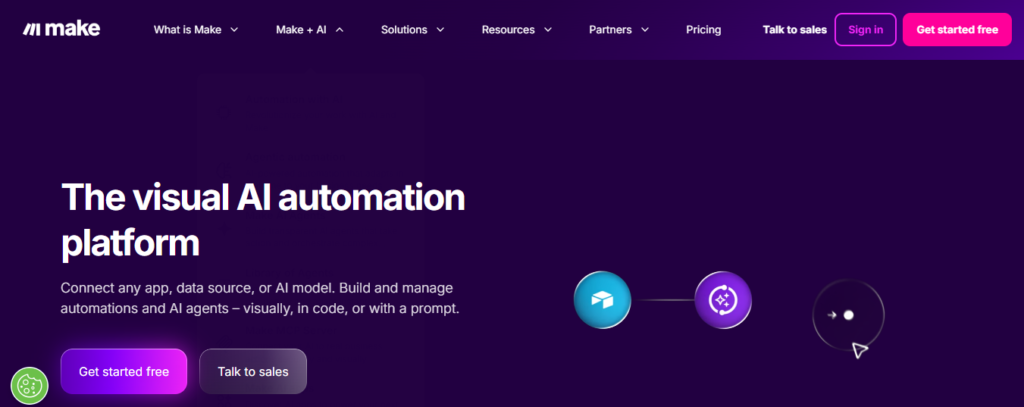
Make.com (formerly Integromat, and based in Europe) is the middle ground that most people end up wishing they’d started with. It’s visual, flexible, and dramatically more affordable than Zapier — without requiring you to be a developer.
Recommended to read: 5 Make.com Automation Workflows Every Beginner Should Build First (2026)
Instead of a linear step-by-step builder, Make gives you a canvas-style interface where you can see your whole automation flow at once, including branches and loops. It supports around 3,000+ app integrations and 9,000+ pre-built templates, and its pricing model means you get far more for your money.
The learning curve is slightly steeper than Zapier — maybe a few extra hours to get comfortable — but most people find it very manageable, especially with the visual layout helping you understand exactly what’s happening at each step.
✅ Pros
- 60–70% cheaper than Zapier
- Visual canvas is intuitive
- Generous free plan
- Handles complex logic well
- European data hosting option
⚠️ Cons
- Slightly steeper learning curve
- Smaller app library than Zapier
- Some advanced features need practice
Recommended to read: How to Make Money With Make.com: 6 Real Services You Can Offer Clients
n8n — The Power Tool for the Tech-Curious
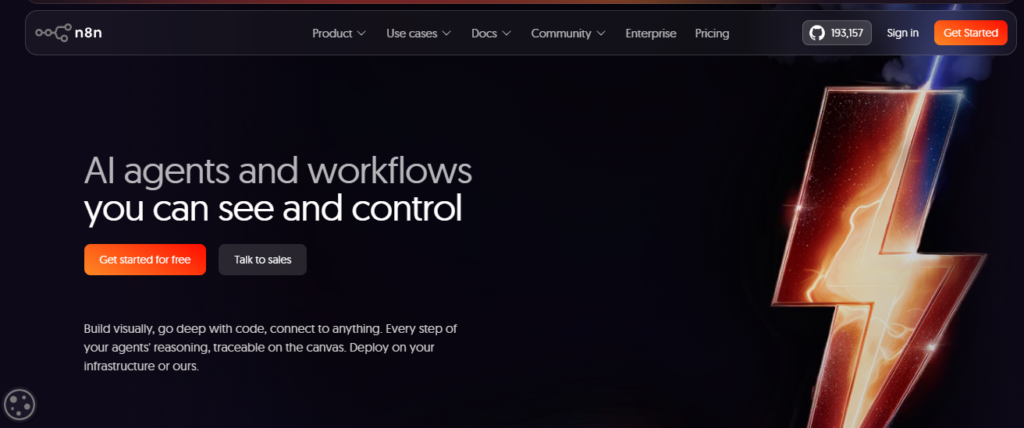
n8n (pronounced “nodemation”) is a different beast entirely. It’s open-source, which means the code is publicly available and you can host it on your own server. That might sound technical — and honestly, it is a bit more so than the other two — but it comes with a payoff that’s hard to ignore: no per-task limits, and total control over your data.
n8n released a major 2.0 update in early 2026, adding native AI/LangChain integration with roughly 70 AI nodes, making it the most capable option for building AI-powered automation workflows. It has around 1,000 native integrations, but its HTTP node means it can technically connect to any service with a public API.
If you’re comfortable with terms like “self-hosting,” “Docker,” or “webhooks,” n8n is worth exploring. If those words made you frown, that’s a sign to start with one of the others first.
✅ Pros
- Cheapest at scale (self-host for ~$5–$10/month)
- Unlimited workflow executions
- Most advanced AI capabilities
- Full data privacy and control
- Open-source — always free to use
⚠️ Cons
- Steepest learning curve
- Requires server setup to self-host
- Smaller native app library
- More troubleshooting involved
Recommended to read: What Is n8n and Should Beginners Use It? (Honest Review)
Pricing Breakdown: Where the Real Differences Are
Let’s be honest — pricing is often the thing that makes the final decision for most of us. And this is where the three tools are most dramatically different from each other.
Here’s something important to understand about Zapier before we look at numbers: Zapier charges per “task,” and each step in your automation counts as a separate task. So if you build a 5-step automation and it runs 100 times in a month, that’s 500 tasks. That adds up faster than most beginners expect.
| Plan | Zapier | Make.com | n8n |
|---|---|---|---|
| Free Plan | 100 tasks/month, 5 Zaps, 1-step only | 1,000 operations/month, multi-step, unlimited scenarios | Free if self-hosted (pay server costs only) |
| Entry Paid Plan | $19.99/mo (annual) — 750 tasks | $9/mo (annual) — 10,000 operations | $20/mo cloud OR ~$5–10/mo self-hosted server |
| What you get | 750 individual action steps | 10,000 bundled operations | Unlimited executions (self-hosted) |
| Scales well? | ✗ Gets expensive fast | ✓ Very affordable at volume | ✓ Flattest cost curve |
To put the pricing in real terms: a medium-complexity automation that costs $50/month on Zapier might run for around $15 on Make.com — or close to nothing on a self-hosted n8n setup. At higher volumes, the gap widens even further. One comparison found that at 10,000 equivalent actions per month, Zapier costs roughly 6–12x more than Make and potentially 12–120x more than self-hosted n8n.
That’s not a typo. The pricing difference is genuinely that dramatic at scale.
The good news for beginners is that Make.com’s free plan is significantly more generous than Zapier’s — 1,000 operations versus 100 tasks, with multi-step scenarios included. So if you want to properly test an automation tool before paying anything, Make.com gives you more room to breathe.
Ease of Use: Which One Will You Actually Figure Out?
Pricing aside, there’s no point picking a tool you can’t actually use. So let’s talk about the learning curve honestly.
Zapier: Like Riding a Bike With Training Wheels
Zapier is genuinely the easiest automation tool to get started with. Its linear, guided builder walks you through each step. You pick your trigger app, pick your action app, configure the settings — and you’re done. The AI Copilot feature even lets you describe in plain English what you want to automate, and it’ll suggest how to build it.
If you’ve never touched an automation tool before, Zapier is the one that will have you feeling a win the fastest. Most beginners can get their first automation running in under 10 minutes.
Make.com: Slightly Steeper Curve, Much Better Payoff
Make.com uses a visual canvas approach — imagine a flowchart you build yourself. You can see every step of your automation laid out on screen, which is actually really helpful for understanding what’s happening. The slight catch is that concepts like “routers” (for branching logic), “iterators,” and “aggregators” take a little time to grasp.
Most beginners need a few hours of practice before things click. But once they do, Make is incredibly intuitive. Think of it as a slightly higher upfront investment that pays off with much more capability — and a much lower bill each month.
n8n: Powerful, But Be Honest With Yourself
n8n operates in a space between no-code and code. You can build sophisticated workflows without writing a single line — but the interface assumes a bit of technical comfort with concepts like webhooks, API authentication, and server environments. Getting n8n set up on your own server (the free option) requires working with tools like Docker, which isn’t for everyone.
n8n does offer a cloud-hosted version that removes the server setup entirely, but then you’re paying $20/month, which closes part of the cost advantage. The bottom line: if you’re already comfortable poking around in technical settings and want the most power, n8n is incredible. If you’re brand new to automation, start with one of the others first.
Side-by-Side Comparison: The Full Picture
| Feature | Zapier | Make.com | n8n |
|---|---|---|---|
| Best For | Absolute beginners | Most users | Technical users |
| App Integrations | 9,000+ | 2,000+ (+ 9,000 templates) | ~1,000 native + any API |
| Free Plan | 100 tasks, 1-step only | 1,000 ops, multi-step | Unlimited (self-hosted) |
| Starting Paid Price | $19.99/mo (annual) | ~$9/mo (annual) | Free (self-host) / $20/mo cloud |
| Learning Curve | Very Easy | Moderate | Steeper |
| Complex Logic | Limited on lower plans | ✓ Good | ✓ Excellent |
| AI Capabilities | AI Copilot + Agents | Maia AI + modules | 70+ AI nodes (LangChain) |
| Self-Hosting | ✗ No | ✗ No | ✓ Yes |
| Data Privacy | US-based servers | EU-based servers | Your own servers |
| Scales Affordably? | ✗ Gets expensive | ✓ Yes | ✓ Best at scale |
Which One Should You Actually Choose?
Here’s the honest answer I wish someone had given me early on: the “best” tool depends entirely on where you are right now and what you’re trying to automate.
Choose Zapier if…
You’re brand new to automation, you need something working today, and you’d rather pay a little more than spend an afternoon learning something new. Zapier is also your best bet if you’re trying to connect niche or uncommon apps — nobody else comes close to its 9,000+ integration library. Just go in with your eyes open about the pricing as your automations grow.
Choose Make.com if…
You’re willing to spend a few extra hours learning in exchange for a dramatically lower monthly bill and significantly more capability. Make.com is honestly where most beginners will end up once they outgrow Zapier — so starting here makes a lot of sense. Its free plan alone is more generous than anything Zapier offers without paying. For the majority of people reading this guide, Make.com is the recommendation.
Choose n8n if…
You’re comfortable in technical environments, you want to run high volumes of automations without watching a ticking cost meter, or you need full control over your data because of privacy requirements. n8n is also the strongest choice right now if you want to build AI-powered workflows — its 2026 2.0 update added deep AI/LangChain capabilities that the other two don’t match yet. If you’re not quite there yet, bookmark it for later.
If you need to make money using one these automation tools read my guide of how to get your first automation client in 2026.
The Path Most Beginners Actually Take
Here’s something interesting that keeps showing up in automation communities: there’s a very common progression that beginners tend to follow.
It usually goes something like: start with Zapier for the speed and simplicity → hit the cost ceiling somewhere around 5,000–10,000 tasks a month → move to Make.com for the same power at a fraction of the price. And for the truly technical folks who want maximum control and the lowest possible cost, n8n eventually becomes the destination.
Knowing that progression exists can save you some time and money. If you’re just starting out and you’re even slightly cost-conscious, starting on Make.com (instead of Zapier) puts you in a better position from day one — you get more on the free plan, pay less as you grow, and the extra hour of learning upfront is worth it.
What About AI? Does It Matter Which Tool You Pick?
This is a great question, and it’s becoming increasingly relevant in 2026 as all three platforms have leaned heavily into AI features.
Zapier launched “Agents” — AI that can take actions across your connected apps in natural language. Make.com introduced Maia, a conversational AI builder, plus an AI agent feature (still in beta). And n8n released its 2.0 update in early 2026, shipping native LangChain integration and approximately 70 dedicated AI nodes.
For most beginners, the AI differences between Zapier and Make.com won’t change your day-to-day experience much. Both make it easier to set up basic AI-powered automations. But if building sophisticated AI agent workflows is your goal — things like multi-step AI reasoning, custom AI pipelines, or integrating with models beyond just OpenAI — n8n is meaningfully ahead of the others right now.
Real-World Examples: What Could You Actually Automate?
Let’s make this concrete. Here are a few everyday automation ideas and which tool handles each one best.
“When someone submits my contact form, add them to my email list and send a welcome email.”
This is a classic beginner automation. All three tools can handle it easily. Start on Make.com or Zapier — this is exactly the kind of workflow their free plans are designed for.
“Every week, pull data from multiple sources, process it, and send a summary report.”
This is where Make.com starts to shine. Its canvas builder handles multi-step, branching logic like this really well — and you won’t burn through expensive Zapier tasks doing it.
“I want an AI agent that monitors my inbox, categorises leads, enriches the data, and updates my CRM automatically.”
This is n8n territory. The kind of sophisticated, multi-step AI workflow with conditional logic and data handling that this requires is where n8n’s technical depth pays off. Make.com can get partway there; n8n does it most completely.
“I run a small blog and want to automatically share new posts to social media.”
Zapier is probably the fastest path here — it has native integrations with almost every social platform. Make.com can do it too, and cheaper, but if the app you need is only on Zapier, that matters.
Frequently Asked Questions
Is Zapier better than Make.com?
Not necessarily. Zapier is easier to learn and supports more app integrations, making it a great choice for complete beginners. However, Make.com is usually more affordable and offers more advanced workflow-building features for the price. For most users, Make.com provides better long-term value.
Is Make.com cheaper than Zapier?
Yes. In most cases, Make.com costs significantly less than Zapier for similar automation workloads. Its free plan is more generous, and paid plans include far more operations, making it a better choice for budget-conscious users.
Is n8n really free?
n8n is free if you self-host it on your own server. You’ll only pay for server hosting costs, which can be as little as a few dollars per month. If you prefer not to manage a server, n8n also offers a paid cloud-hosted version.
Which automation tool is best for beginners?
Zapier is generally the easiest automation platform for beginners because of its simple interface and guided workflow builder. However, many beginners can learn Make.com quickly and save money in the long run.
Can I use these tools without coding?
Yes. Zapier and Make.com are designed for no-code users. n8n can also be used without coding, but having some technical knowledge helps when building more advanced workflows or self-hosting the platform.
Which tool has the most integrations?
Zapier has the largest integration library, with over 9,000 app connections available. Make.com offers more than 3,000 integrations plus thousands of templates, while n8n supports around 1,000 native integrations and can connect to many additional services through APIs.
Which automation platform is best for AI workflows?
If your goal is to build advanced AI agents and AI-powered workflows, n8n is currently the strongest option. Its native AI nodes and LangChain integrations make it particularly powerful for sophisticated automation projects. Zapier and Make.com also support AI features, but they’re generally aimed at simpler use cases.
The Bottom Line: Start Simple, Grow Into It
If there’s one takeaway I want you to leave with, it’s this: you don’t need to pick the “perfect” tool forever on day one. You need to pick the right tool for where you are today.
If you’re brand new and just want to see automation work without any friction — start with Zapier’s free plan to get the feel of things. If you’re ready to invest a couple of extra learning hours for a much better long-term deal, Make.com is where most people end up happiest. And when you’re ready to go deeper — more data control, AI workflows, unlimited scale — n8n will be waiting.
The most important thing? Stop overthinking it and start automating. Even one simple workflow that saves you 30 minutes a week adds up to 26 hours a year back in your life. That’s time you could spend building something real.
Pick a tool. Build something small. Let the momentum carry you forward.
Want to See Make.com in Action?
I put together a beginner’s walkthrough of Make.com that shows you how to build your first automation from scratch — no experience needed. Check it out and start saving yourself time this week. Read the Make.com Beginner’s Guide →
Have a question about which tool fits your specific situation? Drop it in the comments below — I read every single one, and there’s a good chance someone else is wondering the same thing.
Once you’ve picked a tool and built a bit of confidence with it, the natural next question is what to actually do with that skill. If earning from it interests you, this guide to starting an AI automation agency walks through turning that skill into paid client work.
Freelancing IA est un une bonne chose que tu peux te lancer et gagner de l’argent
Helpful. Structured AI classification with human fallback works well — we built https://jevapi.pro for that.
The pricing breakdown is the most useful part of this comparison — the per-task versus per-operation distinction is exactly where beginners get burned, and I’ve seen small businesses cut automation costs by 60%+ just by moving multi-step workflows from Zapier to Make. One practical tip I’d add: before committing to a tool, map your highest-volume workflow and estimate monthly runs first, because the cheapest option on paper isn’t always cheapest at your volume. I do this tool-choice math for every automation project I build (https://www.fiverr.com/xeeshanxhan811/build-ai-automation-workflows-using-n8n-make-and-zapier-workflow) and it’s consistently the step that saves clients the most money.