

Here’s the moment I bet you’ve had: you decide to finally try AI image generation, you search around, and suddenly you’re looking at three different tools, three different price tags, and a hundred passionate opinions online about which one is “the real one.”
If you’re completely new to AI, you might want to start with my guide explaining what artificial intelligence actually is before choosing an image generator.
Reddit threads defending Midjourney. Twitter posts swearing by ChatGPT’s image generator. Designers insisting Firefly is the only serious option.
Here’s the thing: they’re all right, in a way. And that’s exactly why this is confusing. Midjourney, ChatGPT’s built-in image generator, and Adobe Firefly aren’t three tools racing to do the same job better than each other — they’re three tools built for three genuinely different jobs.
Once you see that, picking the right one for you stops being a mystery.
For this comparison, I went straight to each company’s current pricing pages and documentation rather than trusting my memory of what these tools used to cost or do — image-generation tools change fast, and a guide that was accurate six months ago can quietly go stale.
I’ve noted where something changed recently so you’re not caught off guard mid-decision.
By the end of this guide, you’ll know exactly what each tool does best, what it costs in plain terms, and — most importantly — which one actually fits what you’re trying to make.
“These aren’t three tools competing to do the same thing — they’re three tools built for three different jobs.”
TL;DR
Midjourney: the most visually striking, artistic-looking images. No free plan, paid from day one.
ChatGPT’s image generator (formerly a separate “DALL-E 3” product): the easiest starting point, now with limited free access, and unlimited-feeling access on ChatGPT Plus.
Adobe Firefly: the only one built specifically for commercially safe images, with a genuine free tier.
| Feature | Midjourney | ChatGPT Images | Adobe Firefly |
|---|---|---|---|
| Best for | Artistic, striking visuals | Easiest everyday use | Commercial / business use |
| Free plan | ❌ None | ✅ Limited (load-based) | ✅ 25 credits/month |
| Starting paid price | $10/month (Basic) | $20/month (Plus, for reliable access) | $9.99/month (Standard) |
| Ease of use | Medium (web app or Discord) | Very easy (plain chat) | Easy (web app) |
| Text-in-image quality | Improving, still inconsistent | Excellent, 50+ languages | Good |
| Copyright / commercial safety | Standard commercial terms apply | Commercially usable, training data disputed by some artists | Strongest — trained only on licensed/Adobe Stock content |
| Editing tools | Limited | Good (conversational edits) | Excellent (Generative Fill, Photoshop integration) |
If you’re looking for tools that don’t require paying upfront, I’ve also rounded up the best free AI image generators you can try today.
Why This Comparison Confuses Beginners More Than It Should
Most “vs.” comparisons imply there’s a winner. This one doesn’t work that way. Midjourney was built to chase artistic quality above everything else. ChatGPT’s image generator was built to be the easiest, most conversational way to get a decent image fast.
Adobe Firefly was built around one specific problem the other two mostly ignore: making sure the images you generate are safe to actually use commercially, without a copyright question hanging over them. None of that makes one “better” — it makes them suited to different people.
Midjourney — Best for Striking, Artistic Images
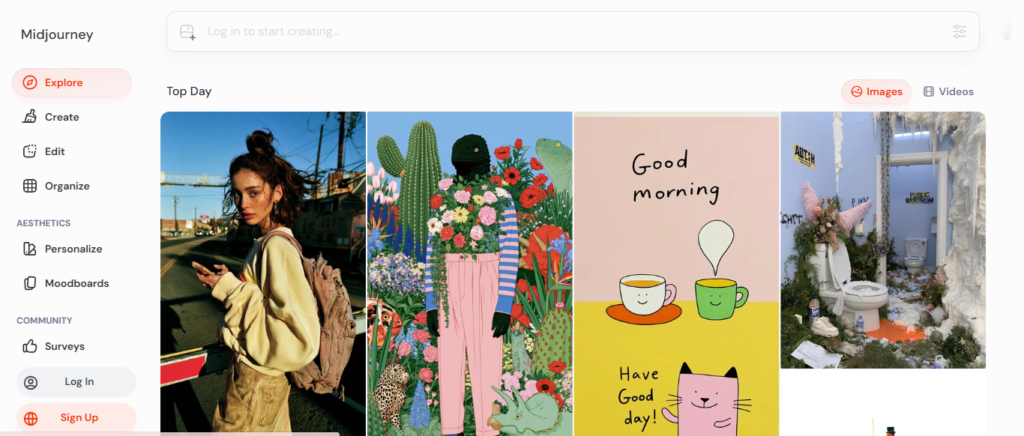
$10–$120/month · no free plan
What it does well
If you’ve seen an AI image online that made you stop scrolling — painterly, dramatic, almost gallery-worthy — there’s a good chance it came from Midjourney.
It consistently produces the most visually striking and detailed images of the three, especially for concept art, illustration-style work, or anything where the “wow” factor matters more than technical precision.
Midjourney also now offers a proper web app alongside its original Discord-based interface, so you’re no longer forced to learn Discord just to make an image.
Many creators use Midjourney to design printable wall art, coloring books, and other digital products they later sell online.
Pricing in plain terms
There’s still no free tier at all, which trips up a lot of beginners expecting to test it first. Midjourney charges by “fast GPU time” rather than a fixed image count, across four tiers:
Basic (~$10/month), Standard (~$30/month), Pro (~$60/month), and Mega (~$120/month) — with a 20% discount if you pay annually.
Basic gets you roughly 200 fast images before you’re waiting in queue; Standard is the one most people settle on, since it adds unlimited (if slower) generation through “Relax Mode.”
Pro adds a private-generation option on top. Because Midjourney’s pricing pages do change periodically, it’s worth a quick glance at their official plan comparison before you commit.
The catch: with no free plan, you’re paying before you know if it clicks for you. And if you’re a company earning more than $1 million a year in revenue, Midjourney’s terms require you to be on the Pro or Mega plan for commercial use, regardless of which tier you’d otherwise choose.
Don’t choose Midjourney if…
- you want to try AI image generation without paying anything first
- you need images with clean, readable text inside them (posters, graphics with words)
- you’d rather not learn a slightly different interface just to get started
Example prompt
A cinematic portrait of a young entrepreneur working from a café in Kigali, golden hour light, shallow depth of field, hyper-detailed –ar 3:4
ChatGPT’s Image Generator — Best for Beginners Who Want the Easiest Start
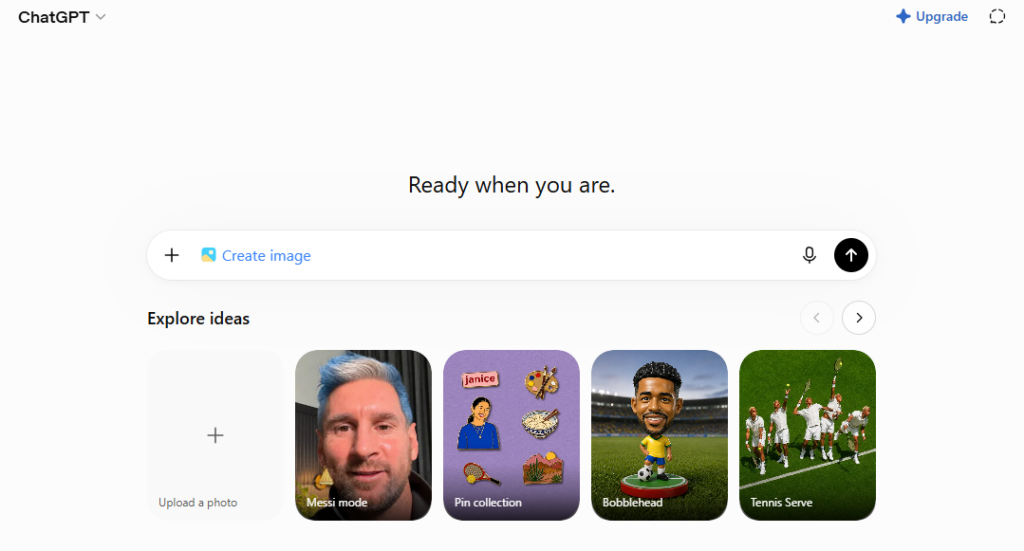
Free (limited) · $20/month via ChatGPT Plus for reliable access
2026 update: If you remember this tool as “DALL-E 3,” that standalone product has been retired — OpenAI folded image generation directly into ChatGPT, first as GPT Image and now GPT Image 2.
If you’ve generated an image inside ChatGPT any time in the last several months, you were likely already using this newer engine without noticing the name change. Everything below describes what you’ll actually experience today.
What it does well
This is still the most beginner-friendly of the three, because you’re just describing what you want in plain conversation inside ChatGPT — no special syntax, no separate app to learn.
It’s also genuinely the best of the three at putting readable, accurate text inside an image (now across more than 50 languages and scripts), which matters if you’re making things like social graphics, simple posters, or mockups with words in them.
You can also upload an existing image and ask it to be edited conversationally — “make this warmer,” “add a person to this scene” — which the other two tools handle less naturally.
Pricing in plain terms
Image generation is now available even on ChatGPT’s free tier, though free (and even Plus) usage is subject to load-based limits that shift depending on server demand — OpenAI doesn’t publish a fixed daily quota.
If you want the most reliable, least-interrupted access, ChatGPT Plus at $20/month is the practical entry point, and it comes bundled with the rest of ChatGPT — so if you’re already paying for Plus for other reasons, this is effectively already in your pocket.
The catch: the artistic ceiling is lower than Midjourney. Results tend to look competent and clean rather than striking — fine for most everyday use, less exciting for creative or editorial work. Output is also capped well below print resolution, so it’s a poor fit for anything headed to a large-format print or billboard.
Don’t choose ChatGPT’s image generator if…
- you want the most visually striking, “wow factor” output — Midjourney wins that comparison
- you need large, print-quality resolution
- you’re in an enterprise or legal context that requires certainty around training-data licensing
Example prompt
Create a clean Instagram graphic with the bold text “AI Starter Kit” in teal and orange, minimalist background, 1:1 square
Adobe Firefly — Best for Commercially Safe Images
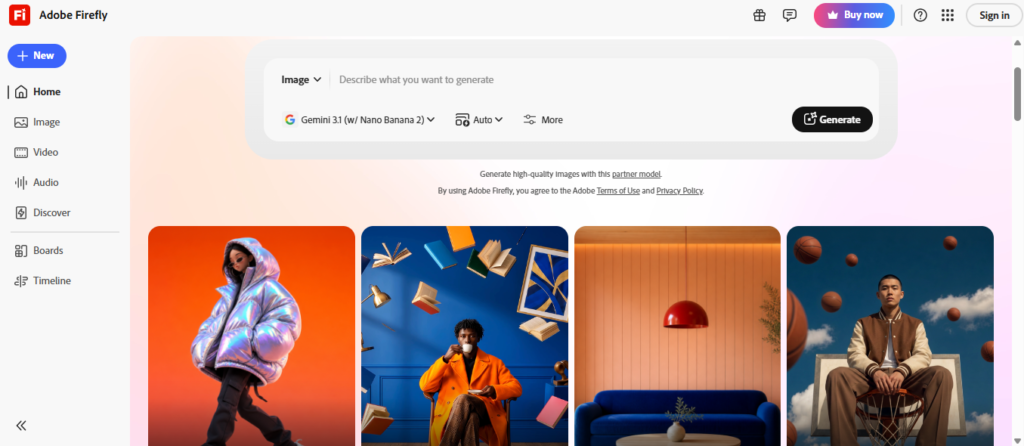
Free tier (25 credits/month) · paid from $9.99/month
What it does well
This is Firefly’s whole reason for existing: it’s trained exclusively on licensed Adobe Stock images and public domain content, and Adobe backs that up with copyright indemnification for commercial use.
In plain terms — if you’re planning to sell, publish, or use these images for a business, Firefly is the one built specifically to keep you out of a copyright dispute later.
Firefly also plugs directly into Photoshop and Illustrator (Generative Fill is genuinely excellent for photo editing), and it now includes “Firefly Boards” for organizing moodboards and generation sessions if you’re planning a bigger project.
Pricing in plain terms
It has a genuine free tier — about 25 generative credits a month, enough for casual testing, with no credit card required to start.
Paid plans begin with Firefly Standard at roughly $9.99/month (2,000 credits), stepping up to Pro at roughly $19.99/month, and it’s also bundled into any Adobe Creative Cloud subscription you might already have.
Adobe’s credit system and promotional pricing shift fairly often, so it’s worth double-checking the current numbers on Adobe’s plans page before subscribing.
The catch: creative range is more limited than Midjourney. Adobe tuned this model toward safety and realism rather than artistic flexibility, so highly stylized or fantastical images tend to come out more subdued. Free-tier images may also carry a watermark or Content Credentials tag.
Don’t choose Adobe Firefly if…
- you want bold, highly stylized, or fantastical art
- you don’t already use Photoshop or Illustrator and don’t need the credit system’s complexity
- you need heavy video generation — that’s gated behind the higher-priced tiers
Example prompt
Generate a realistic product photo of a reusable water bottle on a wooden table, soft natural window light, commercial photography style
Which One Should You Actually Start With?
Want images that look genuinely impressive — for art, prints, or eye-catching social contentStart with Midjourney. Budget for the $10/month Basic plan before committing to anything higher.
Want to try things out for free, or you’re already using ChatGPT for other tasksUse ChatGPT’s built-in image generator. You may already have access without paying anything extra, and Plus at $20/month removes the usage limits.
Planning to use images for a business, client work, or anything sold commerciallyChoose Adobe Firefly. The free tier lets you test it before spending anything, and the copyright safety is worth more than it sounds like at first.
How I approached this comparison: I checked each company’s current pricing pages and product documentation rather than relying on older reviews floating around online, since these tools change their plans and even their product names surprisingly often.
If you’re comparing these tools yourself, I’d recommend the same — run the same simple prompt through each tool’s free or entry-level tier and judge for yourself, rather than taking anyone’s word (including mine) as the final answer.
Key Takeaways
- Midjourney wins on artistic quality but has no free plan — expect to pay from day one.
- ChatGPT’s image generator (what used to be a separate “DALL-E 3” product) is the easiest entry point, and now offers limited free access even without a subscription.
- Adobe Firefly is the only one of the three built around commercial copyright safety, and it’s the only one with a real free tier.
- None of these tools is objectively “the best” — the right one depends entirely on what you’re making and what you’ll use it for.
- It’s completely fine to start free with Firefly or ChatGPT to learn the basics before spending anything on Midjourney.
Frequently Asked Questions
Is Midjourney better than ChatGPT’s image generator?
For pure artistic quality, most people find Midjourney’s output more striking. For ease of use, readable text, and cost (there’s a free option), ChatGPT’s image generator usually wins. “Better” depends on what you’re making.
Can I sell images made with Midjourney?
Yes — Midjourney’s standard commercial terms allow you to use your generated images commercially, though companies earning over $1 million a year in gross revenue are required to be on the Pro or Mega plan. Always check the current Terms of Service before relying on this for business use.
Is Adobe Firefly really copyright safe?
It’s the strongest option of the three on this point, since it’s trained only on licensed Adobe Stock and public domain content, and Adobe offers indemnification for commercial use. No AI tool is entirely free of legal debate, but Firefly is deliberately built to minimize that risk.
Which AI image generator is actually free?
Adobe Firefly has the most straightforward free tier (25 credits/month, no card required). ChatGPT now offers limited free image generation too, though access depends on server demand. Midjourney has no free plan at all.
Which is best for YouTube thumbnails or social graphics?
ChatGPT’s image generator tends to be the easiest for graphics that include text, thanks to its strong text rendering. For a more eye-catching, stylized thumbnail, Midjourney can outperform it artistically — you’ll just need to add your own text afterward.
Which is best for beginners overall?
If you want the lowest-friction starting point, ChatGPT’s image generator (free or Plus) is the easiest place to begin. If your end goal is business or client use from the start, it’s worth learning Firefly’s free tier instead.
If you take one thing from this: don’t pick based on which tool has the loudest fans online. Pick based on what you’re actually trying to make. That one decision will save you more time and money than any prompting trick will.
Creating AI images is only one piece of the puzzle. Once you’re comfortable with these tools, you can learn how people are turning them into real income through freelancing, blogging, digital products, and other beginner-friendly opportunities.
You may also read: How to Start Earning Money with AI as a Beginner (2026 Guide) and 7 Smart Tips to Make Money with AI in 2026(Even Without a Degree or Experience).