


TL;DR
AI won’t build your blog for you, but used the right way, it will make you dramatically faster at outlining, drafting, and optimizing posts. This guide walks through the exact workflow — plus the one step most beginners skip that determines whether your content ranks at all.
Starting a blog in 2026 feels harder than it used to. Millions of posts get published every day, and AI tools can spit out an article in seconds. It would be easy to assume blogging is a lost cause for a beginner.
It isn’t. It just means the bar has moved. The beginners who do well now aren’t the ones publishing the most AI content — they’re the ones who use AI to move faster while still sounding like an actual person who knows what they’re talking about.
That’s what this guide is really about: not “can AI write your blog,” but how to use it as part of a system that still sounds like you.
“The bloggers who win in 2026 aren’t using the most AI tools. They’re the ones who built a system — AI for speed, their own voice for everything that actually earns trust.” 2026 are those who combine AI efficiency with something AI cannot replace: real experience, personal opinions, creativity, and understanding of their audience.
In this beginner-friendly guide, you will learn exactly how to use AI throughout your blogging workflow — from finding your first topic to publishing and promoting your content.
My Experience Using AI to Build a Beginner-Friendly Blog
When I started Future Work Navigator, staying consistent was the hardest part of the whole thing — not the writing itself, the showing up week after week. AI helped me move faster through outlining and first drafts, but I learned quickly that publishing raw AI output doesn’t build trust with anyone.
The real shift happened when I stopped treating AI as a ghostwriter and started treating it as research and structure support — then adding my own examples, my own opinions, and the specific details only I would know. That’s the difference readers actually notice, even if they can’t always explain why.
The Real Benefits of Using AI in Blogging
It saves real time
AI handles idea generation, outlining, and first drafts fast, freeing you up to focus on quality and your own insight instead of staring at a blank page.
It makes SEO accessible
Plugins like AI-powered SEO tools guide keyword placement, meta descriptions, and readability in real time — work that used to require hiring a specialist.
It keeps you consistent
A content calendar and an endless supply of topic ideas mean you’re never stuck wondering what to publish next — one of the biggest reasons beginner blogs stall out.
It multiplies each post’s value
One blog post can become a LinkedIn post, a newsletter, and a video script, all with AI support — instead of starting from scratch on every platform.
The AI Tools Actually Worth Using

ChatGPT is the tool I recommend most to beginners because it handles nearly every early-stage task — brainstorming, outlining, and answering the “what would my reader ask” question.
For longer, more nuanced sections, I switch to Claude, which tends to hold a more thoughtful, human tone over longer pieces. If you haven’t used either yet, our beginner’s guide to ChatGPT is a good place to start.
For SEO, a plugin that scores your post in real time as you write removes most of the guesswork a beginner would otherwise need an expert for. For images, Canva’s AI features cover featured images and social graphics without any design background.
Best AI Blogging Tools Compared
There are dozens of AI tools available, but not all of them are worth your time. Here are the most useful categories and the top tools in each one.
For Writing and Content Generation
ChatGPT (GPT-4o): The most versatile and widely used AI writing assistant. Great for brainstorming, drafting, and rewriting. It understands context well and can match different tones and styles.
Claude (by Anthropic): Excellent for longer, more nuanced writing. Many bloggers prefer it for posts that need a thoughtful, human-like tone. Claude handles complex topics with strong reasoning and clear explanations.
Jasper AI: Built specifically for content marketers and bloggers. Jasper is strong on brand consistency and works well for teams managing multiple blogs.
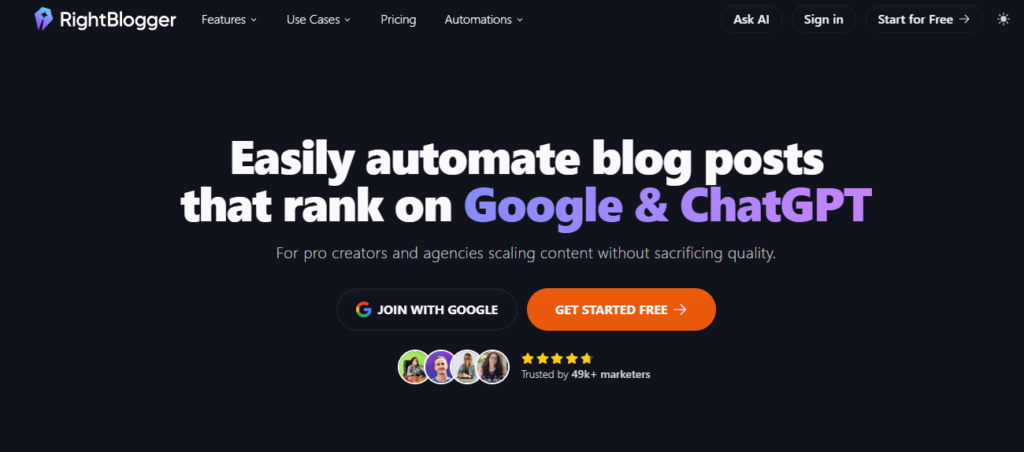
RightBlogger: A purpose-built AI blogging platform with over 90 tools. It connects directly to WordPress, Webflow, and Ghost, and includes a visual content calendar for planning your publishing schedule.
PostEverywhere: This platform is designed to publish content across social media platforms. Because blogging and social media are closely connected, it helps streamline your workflow and ensures consistent content publishing.
For SEO and Keyword Research
Surfer SEO: Analyzes top-ranking pages and helps you write content that covers the right subtopics, keywords, and word count to compete in search results. It exports directly to WordPress with one click.
Frase: A content intelligence tool that researches the top search results for any keyword, then helps you write a post that outperforms them. It identifies subtopics your competitors missed.
Rank Math (WordPress Plugin): A powerful free SEO plugin with built-in AI features. It gives you real-time optimization scores and helps you add schema markup, meta tags, and internal links directly inside WordPress.
AIOSEO (All in One SEO): The go-to SEO plugin for WordPress users who want AI-powered title and meta description generation built right into the Gutenberg editor. Its TruSEO analysis checks your focus keyword across all critical areas before you publish.
AIOSEO has also expanded into generative engine optimization (GEO), helping your content get cited by AI search tools like ChatGPT and Google AI Overviews — and it even lets AI agents like Claude connect directly to your site through a built-in MCP server to read and update your SEO settings.

For Editing and Quality
Grammarly: Now much more than a grammar checker. In 2026, Grammarly acts as a full AI productivity platform — it can adjust tone, check readability, detect plagiarism, and draft emails. Highly recommended for polishing AI-generated drafts.
For Visuals and Images
Canva AI: Create featured images, social media graphics, and infographics using AI-powered design tools. Canva has become the most popular free design tool for bloggers.

AIOSEO Image Generator: Lets you generate blog banner images directly inside WordPress by typing a text prompt — no switching tabs required.
You may also read: 10 Free AI Image Generators in 2026 That Still Feel Fresh & Unique (No Midjourney Subscription Needed
| Tool | Best For | Free Plan | Beginner Friendly |
|---|---|---|---|
| 🤖 ChatGPT | Ideas, blog outlines, drafting, research | ✅ Yes | ⭐⭐⭐⭐⭐ |
| 🧠 Claude | Long-form articles and natural writing | ✅ Yes | ⭐⭐⭐⭐⭐ |
| 📈 Rank Math | WordPress SEO optimization | ✅ Yes | ⭐⭐⭐⭐⭐ |
| 🔍 Surfer SEO | Keyword research & competitor analysis | 🟡 Limited Trial | ⭐⭐⭐☆☆ |
| 🎨 Canva AI | Featured images, graphics & social media | ✅ Yes | ⭐⭐⭐⭐⭐ |
The Step-by-Step Workflow
1. Find Your Topic and Keyword
Start with what people are actually searching for — Google Search Console or your SEO plugin’s keyword tool both work. Then use AI to validate and expand the idea.
Try this prompt: “What are the most common questions beginners ask about [your topic] in 2026? List 10, ordered by how often they’re searched.”
This gives you subtopics to cover and a ready-made FAQ section. If prompting like this feels unfamiliar, our beginner’s guide to prompt engineering covers the basics, and 20 starter prompts is a good reference to keep open while you work.
2. Study What’s Already Ranking
Look at the top five results for your keyword before writing anything. What headings are they using? How long are the posts? What’s missing? Building a genuine cluster of related posts — not just one article — is one of the strongest ranking signals available to a new site.
3. Build an Outline
Try this prompt: “Create a detailed outline for [your topic]. Audience: beginners with no experience. Include an intro, 6-8 H2 sections with H3 subheadings, and a conclusion with a call to action.”
Review it, reorder sections, and add anything from your own experience the AI missed.
4. Draft Section by Section
Try this prompt: “Write the section titled [heading] for a blog post about [topic]. Audience: beginners. Friendly, clear, practical tone. 150-200 words.”
Drafting one section at a time consistently produces more focused writing than asking for the whole post at once.
5. Add Your Human Voice
This is the step that actually matters most. After the AI draft, go back through and add a personal story, a real opinion the AI wouldn’t have, and specific details instead of generic phrasing.
Google’s quality guidelines emphasize experience, expertise, authoritativeness, and trustworthiness when evaluating content — and this step is where that shows up.
6. Optimize Inside WordPress
- Focus keyword in the title, first paragraph, one H2, and meta description
- Meta description between 150–160 characters
- Alt text on every image
- Clean permalink matching your keyword
- 2–3 internal links to related posts
- Schema markup — most SEO plugins handle this automatically
7. Create a Featured Image
Use Canva AI or a similar tool to create one that matches your topic — it improves click-through from both search and social.
8. Repurpose and Promote
Don’t let the post stop at the blog. Turn it into a LinkedIn post, a newsletter intro, or a short video script with the same AI tools you already used to draft it.
What AI Cannot Do — Never Skip These
- Fact-checking: AI can invent statistics and dates. Always verify specifics before publishing.
- Your actual experience: No AI can tell your story — that’s your real advantage.
- Strategic judgment: Which topics to prioritize and how to position your blog is still a human call.
- Relationships: Commenting, networking, and building real connections in your niche can’t be automated.
Frequently Asked Questions
Is AI-generated content good for SEO in 2026?
Yes, as long as it’s accurate and genuinely helpful — Google evaluates content quality, not how it was produced. A well-edited, AI-assisted post can rank just as well as one written entirely by hand.
Can I do this for free?
Yes. ChatGPT’s free plan, Claude’s free plan, and Canva’s free tier are enough to run this entire workflow at zero cost.
Will AI replace bloggers?
No — it’s replacing the repetitive parts, not the thinking or the personal connection. The blogs that struggle are the ones publishing raw AI text with nothing added. If you want a deeper look at how this shift is playing out more broadly, our piece on AI careers beginners can start today is a useful next read.
Key Takeaways
- Use AI for speed — outlining, drafting, and structure — not as a full ghostwriter
- The “add your human voice” step is the one that actually determines whether a post earns trust
- One well-researched post beats five generic ones for building topical authority
- Repurpose every post into at least one other format to multiply its value
- Fact-checking and personal experience are yours to own — AI can’t do either for you
Start Small, Build a System
You don’t need to overhaul your entire process today. Pick one part of this workflow — maybe just topic ideas, or just meta descriptions — get comfortable, then expand from there.
The bloggers doing well in 2026 aren’t using the most tools. They’ve built a system that combines AI’s speed with their own honest, specific voice.
That’s buildable, one post at a time — and it pairs well with other AI-powered income paths if you’re looking to grow beyond the blog itself, including turning your knowledge into digital products or even a small AI agency of your own.